You like coffee?

Me too.

Let's go for a cup. I'm always open to exchanging new ideas.

christinapoon518@gmail.com

Linkedin

© 2020 Christina Poon

You like coffee?

Me too.

Let's go for a cup. I'm always open to exchanging new ideas.

christinapoon518@gmail.com

Linkedin

© 2020 Christina Poon

You like coffee?

Me too.

Let's go for a cup. I'm always open to exchanging new ideas.

christinapoon518@gmail.com

Linkedin

© 2020 Christina Poon

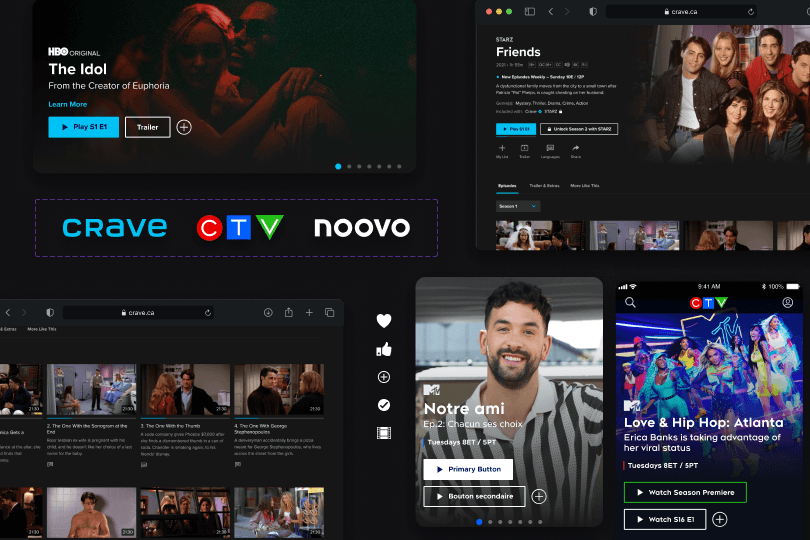
Now Live On iOS Android and Crave.Ca , CTV.ca, Noovo.ca

Sign In/Create Account Redesign

Creating an unified authentication experience.

Design System

UX/UI

Sign In/Create Account Redesign

Creating an unified authentication experience.

Design System

UX/UI

My Role

UX/UI Designer, Design Systems

My Team

Product Owner & Owners, Developers, UX Designer, Researchers

Timeline & Status

8 months

Platform

Web & Mobile Apps

Tools

Figma

My Role

UX/UI Designer, Design Systems

My Team

Product Owner & Owners, Developers, UX Designer, Researchers

Timeline & Status

8 months

Platform

Web & Mobile Apps

Tools

Figma

To support a more seamless entry point into Crave’s streaming experience, I led the UI design of a complete overhaul of the Sign In and Create Account flows across both web and mobile. The goal was to modernize the interface, reduce user friction, and create a scalable, accessible authentication system. While my primary focus was on high-fidelity visual design and component creation, I also collaborated closely with UX designers, product managers, and developers to ensure the experience addressed key usability issues, supported business goals, and was feasible for MVP implementation. The redesigned flows served as a foundation for future consistency across Crave and other Bell Media platforms.

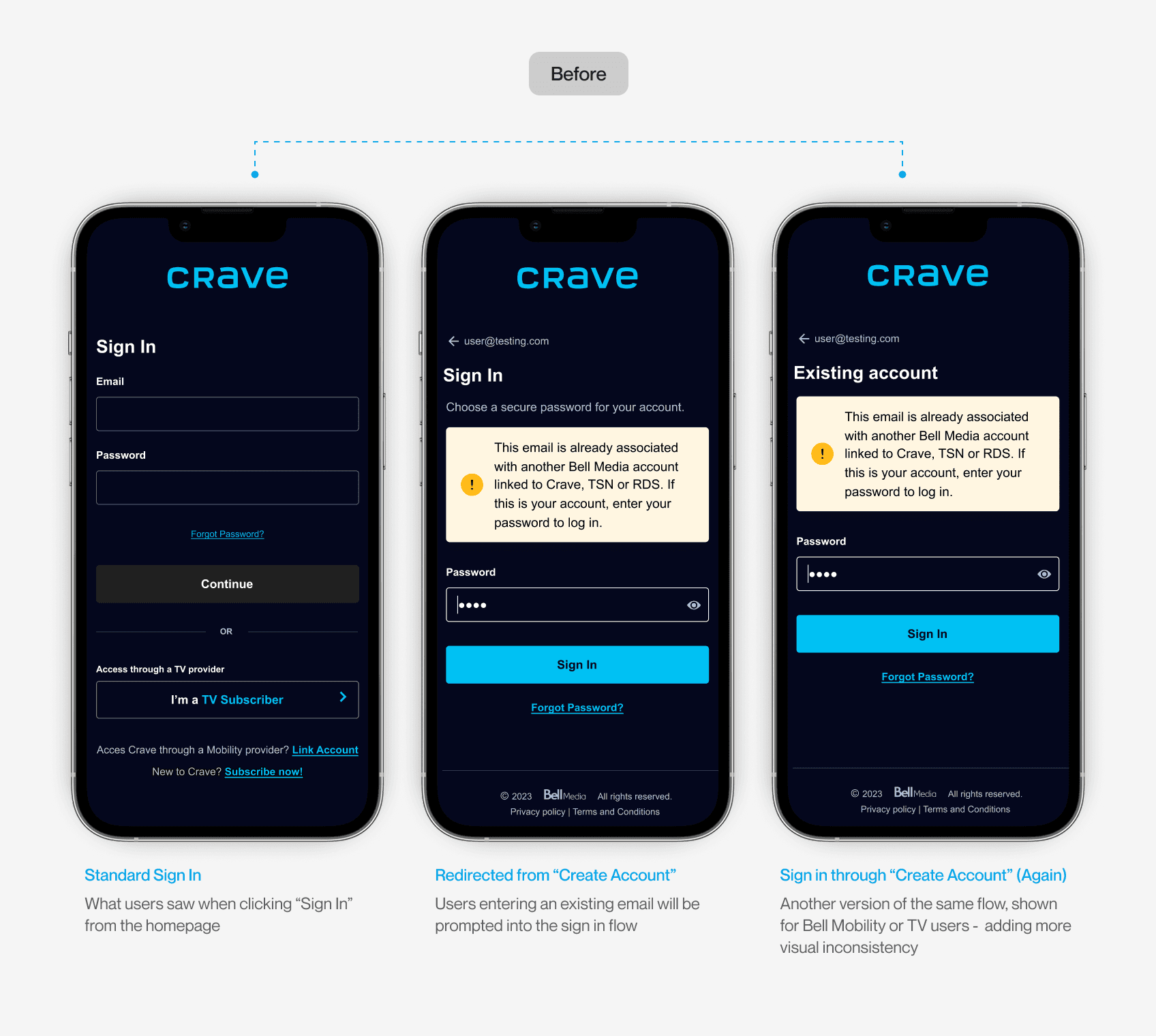
The Problem

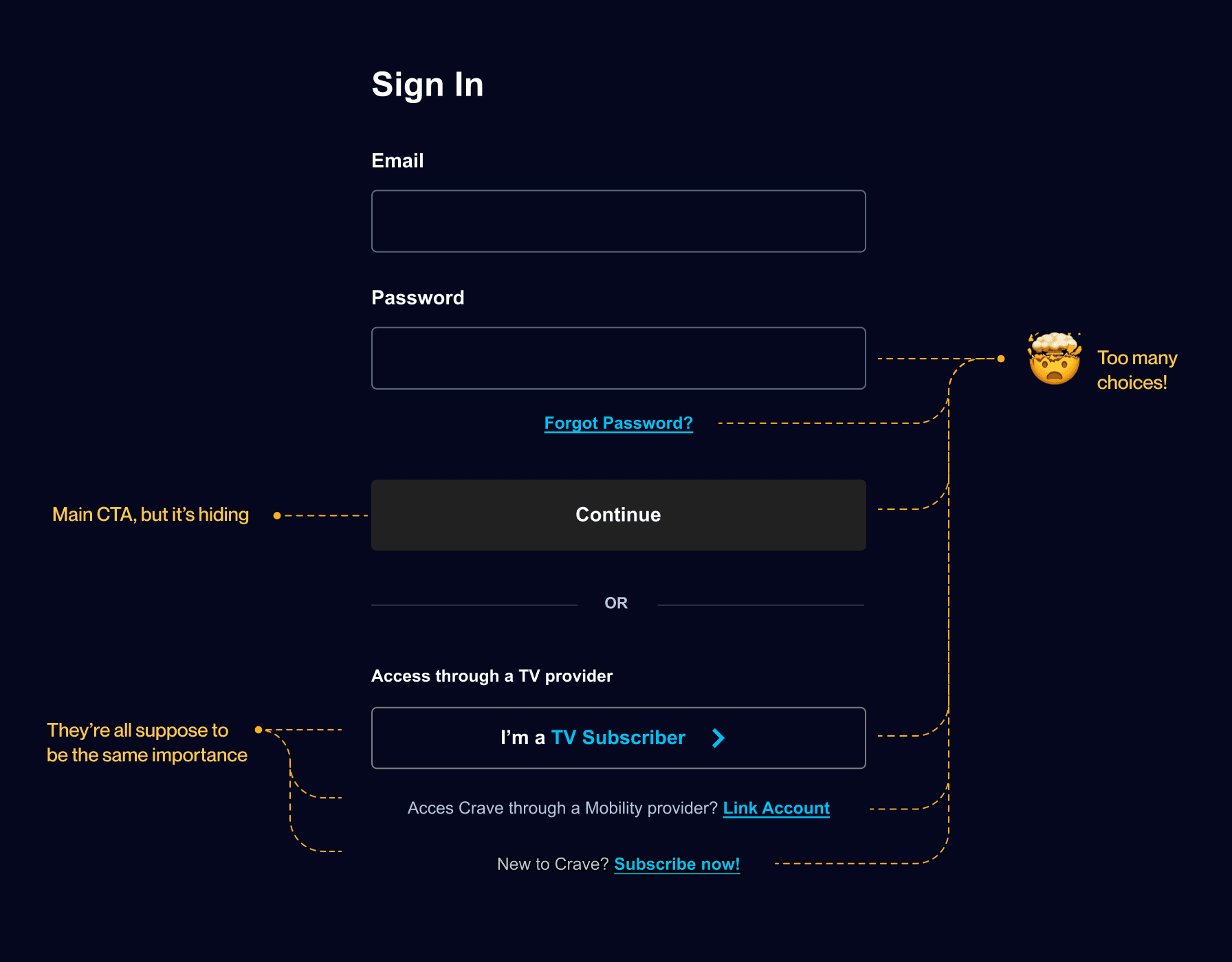
Crave’s inconsistent authentication flow made it hard for users to understand what to do, leading to missed actions and drop-off.

To gain a better understanding of the problem, we conducted user tests on the current in-market flow and asked users to enter the platform through different touchpoints. This helped us identify the main pain points, which we then narrowed down to 4 key insights.

In Market Experience
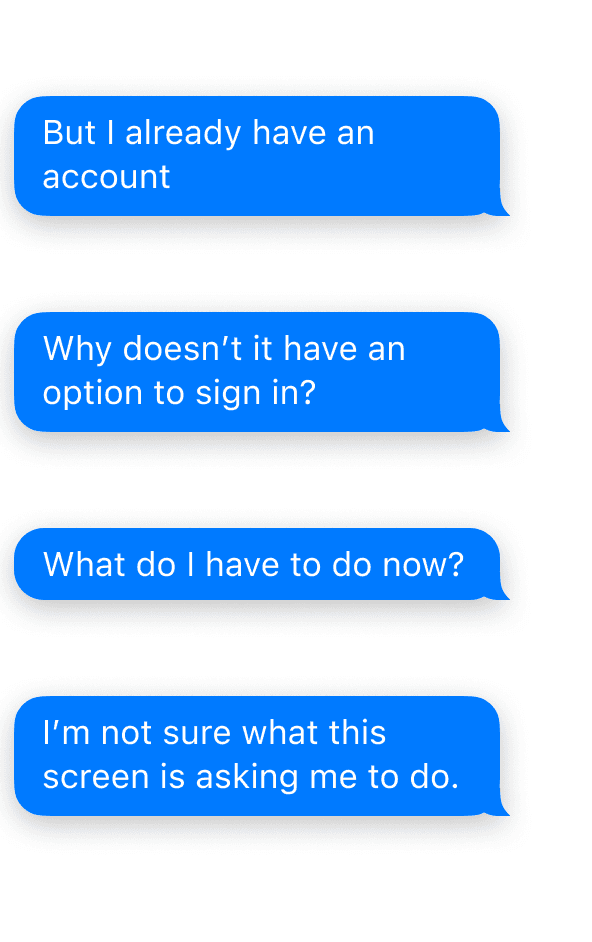
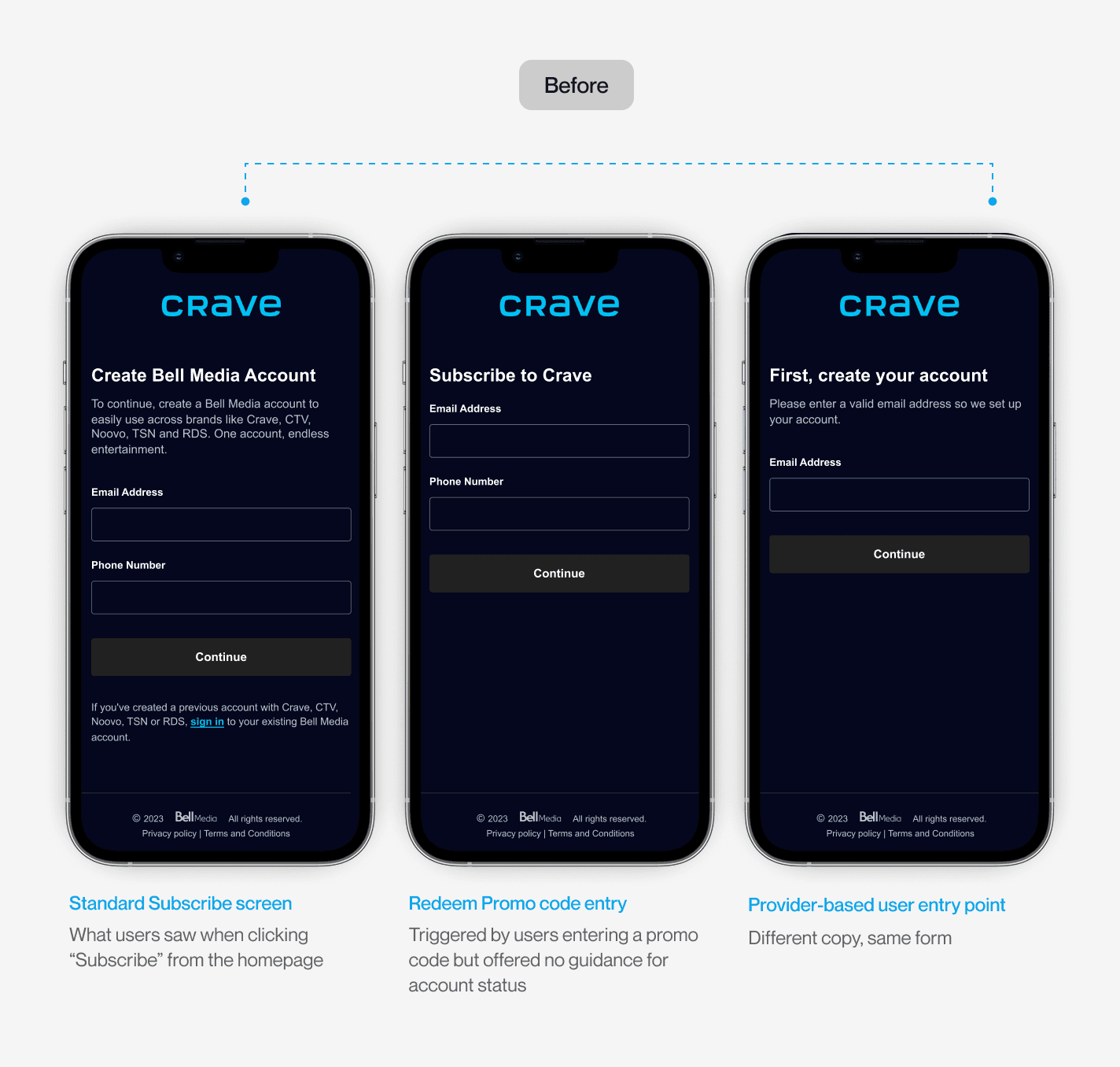
Unclear messaging and guidance

Users saw different sign-in or account creation screens depending on where they entered, with unclear labels and feedbacks

Unclear messaging and guidance

Users saw different sign-in or account creation screens depending on where they entered, with unclear labels and feedbacks

Poor hierarchy of primary actions

Essential CTAs were visually deprioritized, leading users to overlook or miss critical next steps.
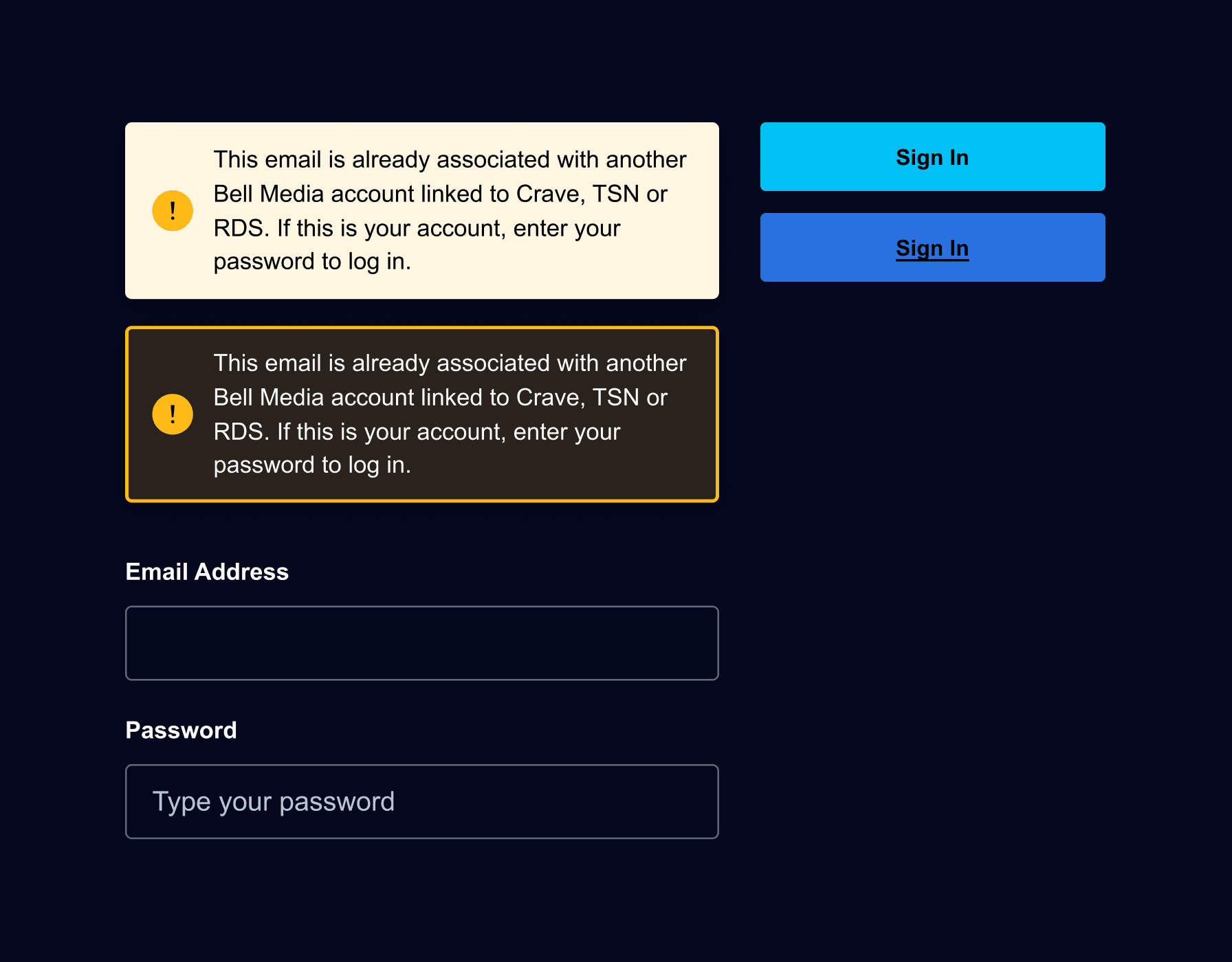
Inconsistent and incorrect use of UI components

Elements like buttons, inputs, and error states deviated from the design system, resulting in a confusing user experience.
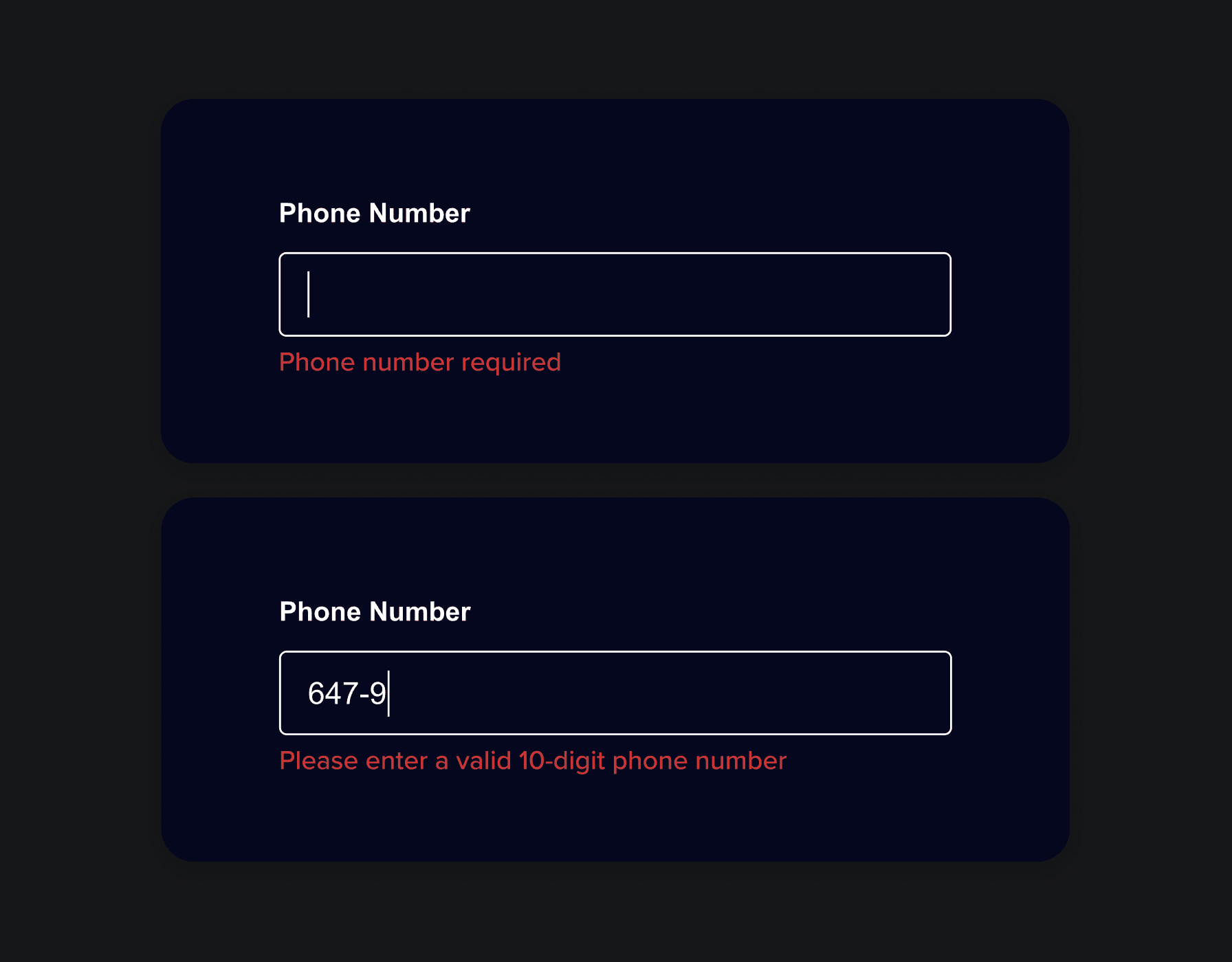
Agressive micro-interaction experiences

Customers were met with errors while entering their information

Design Goal

Create a scalable authentication flow that supports multiple entry points, reduces cognitive load, and meets accessibility standards

Flow clarity

Guide users through account creation or login with minimal friction.

Design System consistency

Redesign components using scalable, consistent UI patterns

Design System consistency

Redesign components using scalable, consistent UI patterns

Future-proof architecture

A reusable authentication flow that can scale with new features.
The solution

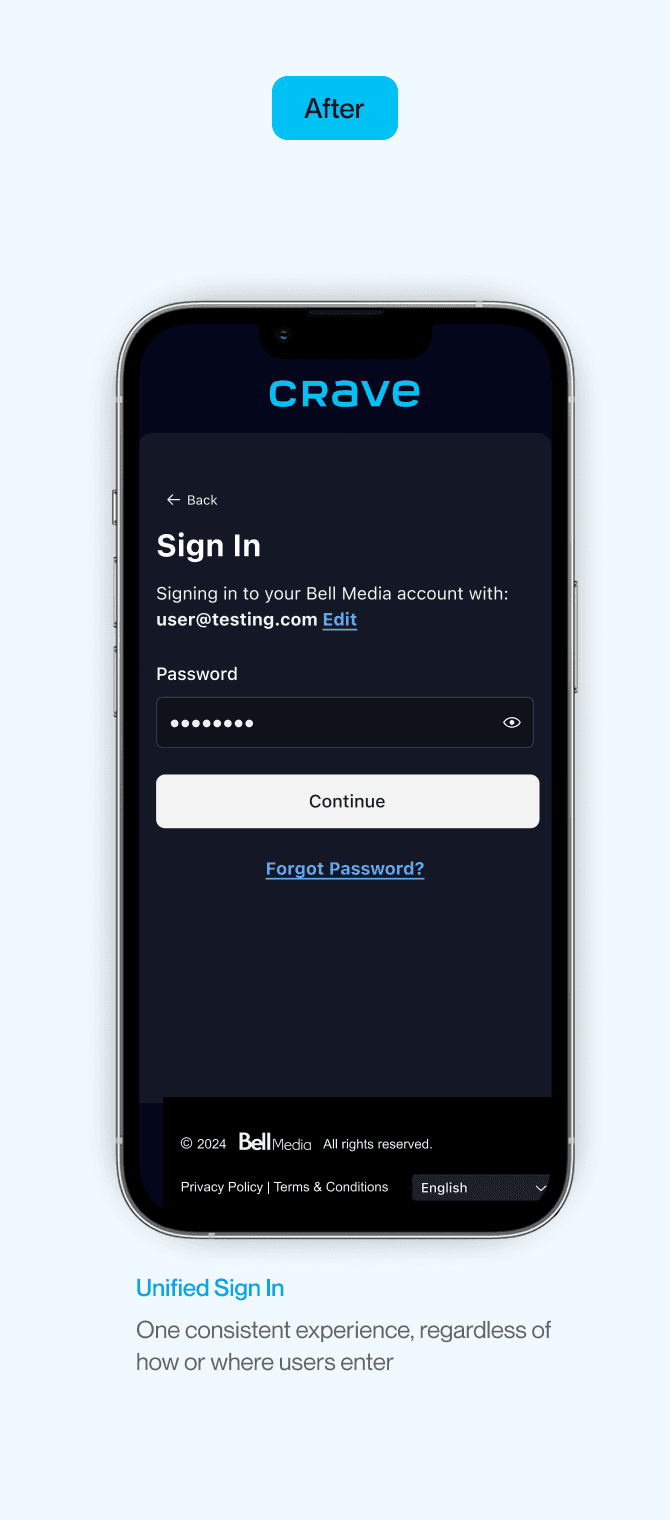
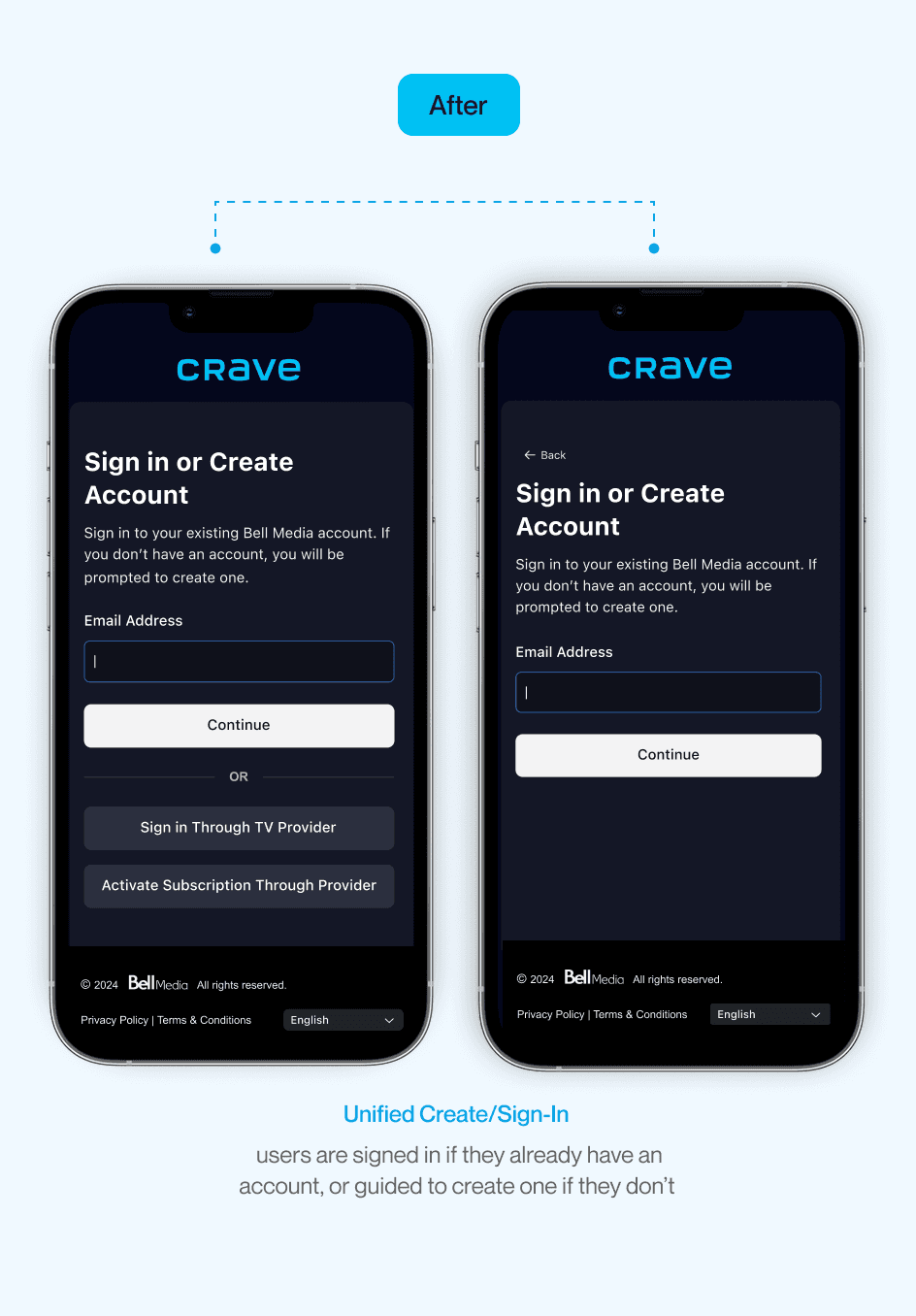
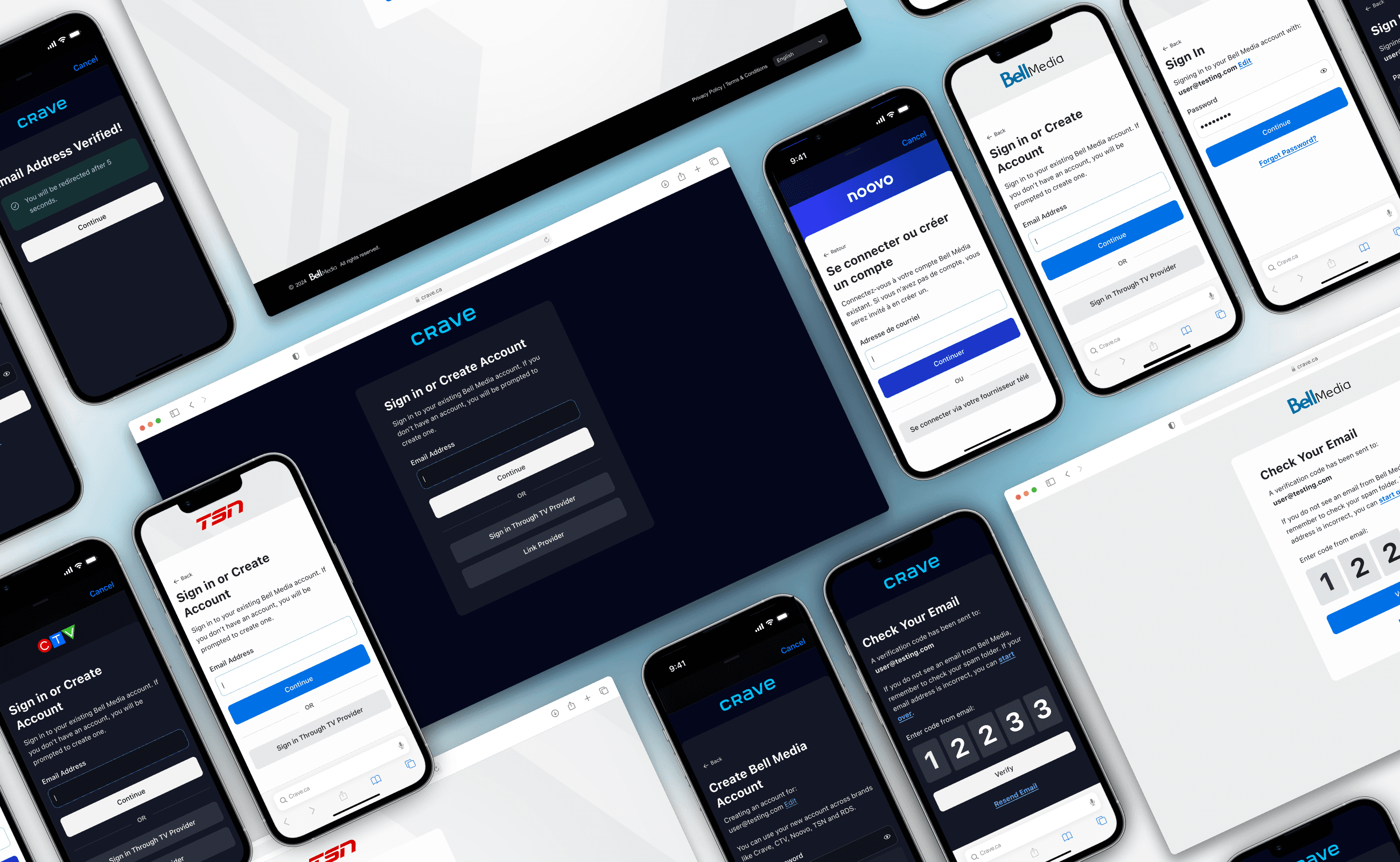
Introducing the new sign in/create account experience

A unified authentication flow that adapts to new and returning users without the friction.

We’ll guide you through signing up

if your email doesn’t exist, we’ll guide you step by step on creating an account

Not sure if you have an account? We’ve got you.

Can’t remember if you have a Crave account? Crave can detect if you’re an user and we’ll prompt you to put in your password.

Making it easy for Bell users to activate Crave

From SMS to sign-in, Bell customers were met with helpful prompts and UI that made activating their Crave plan feel effortless.

The solution

Introducing the new sign in/create account experience

A unified authentication flow that adapts to new and returning users without the friction.

We’ll guide you through signing up

if your email doesn’t exist, we’ll guide you step by step on creating an account

Not sure if you have an account? We’ve got you.

Can’t remember if you have a Crave account? Crave can detect if you’re an user and we’ll prompt you to put in your password.

Making it easy for Bell users to activate Crave

From SMS to sign-in, Bell customers were met with helpful prompts and UI that made activating their Crave plan feel effortless.

Discover & Explore

Learning from the landscape

To better understand how Crave’s authentication flow compared, I explored patterns from both direct and indirect competitors. This helped surface best practices around guiding users through entry points with clearer language, flexible flows, and simplified decisions.
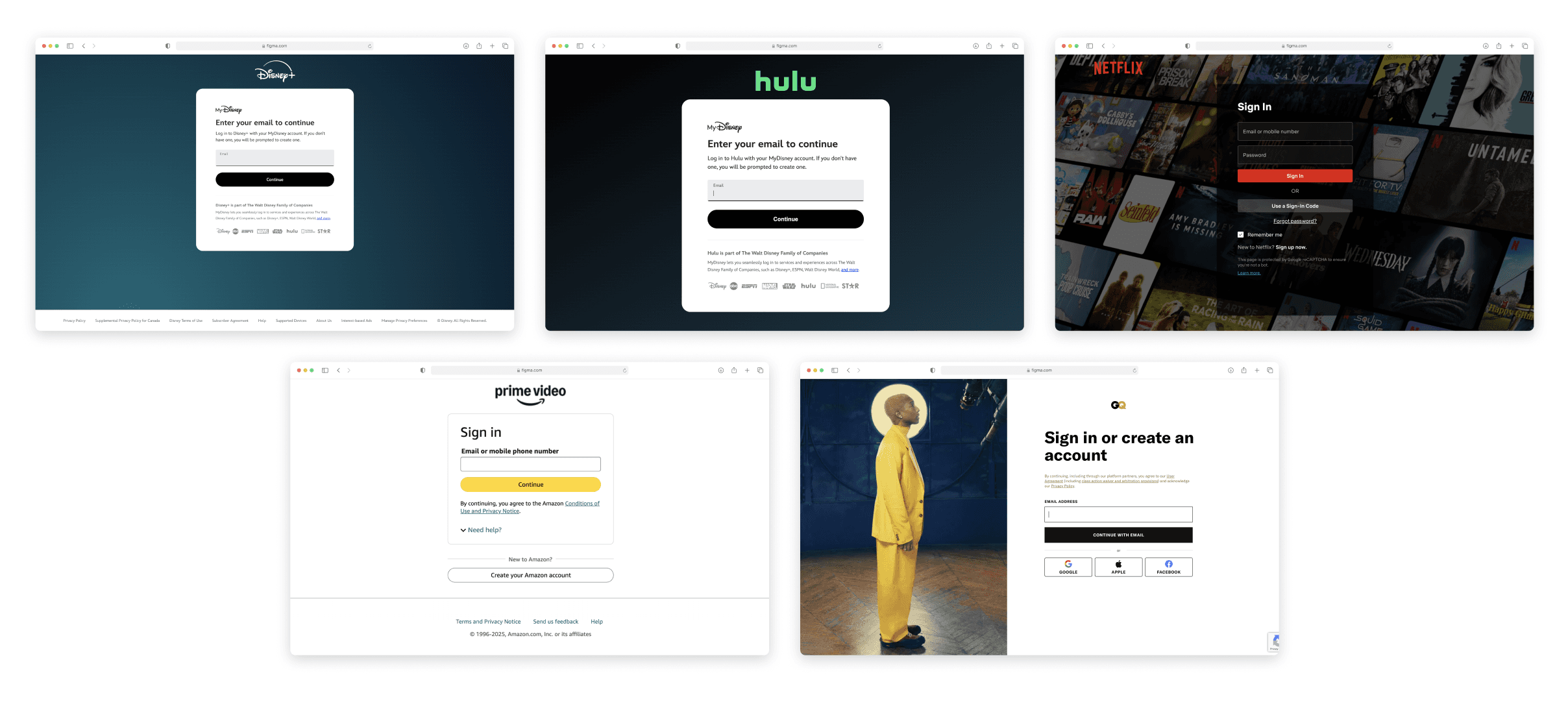
In Market Experience
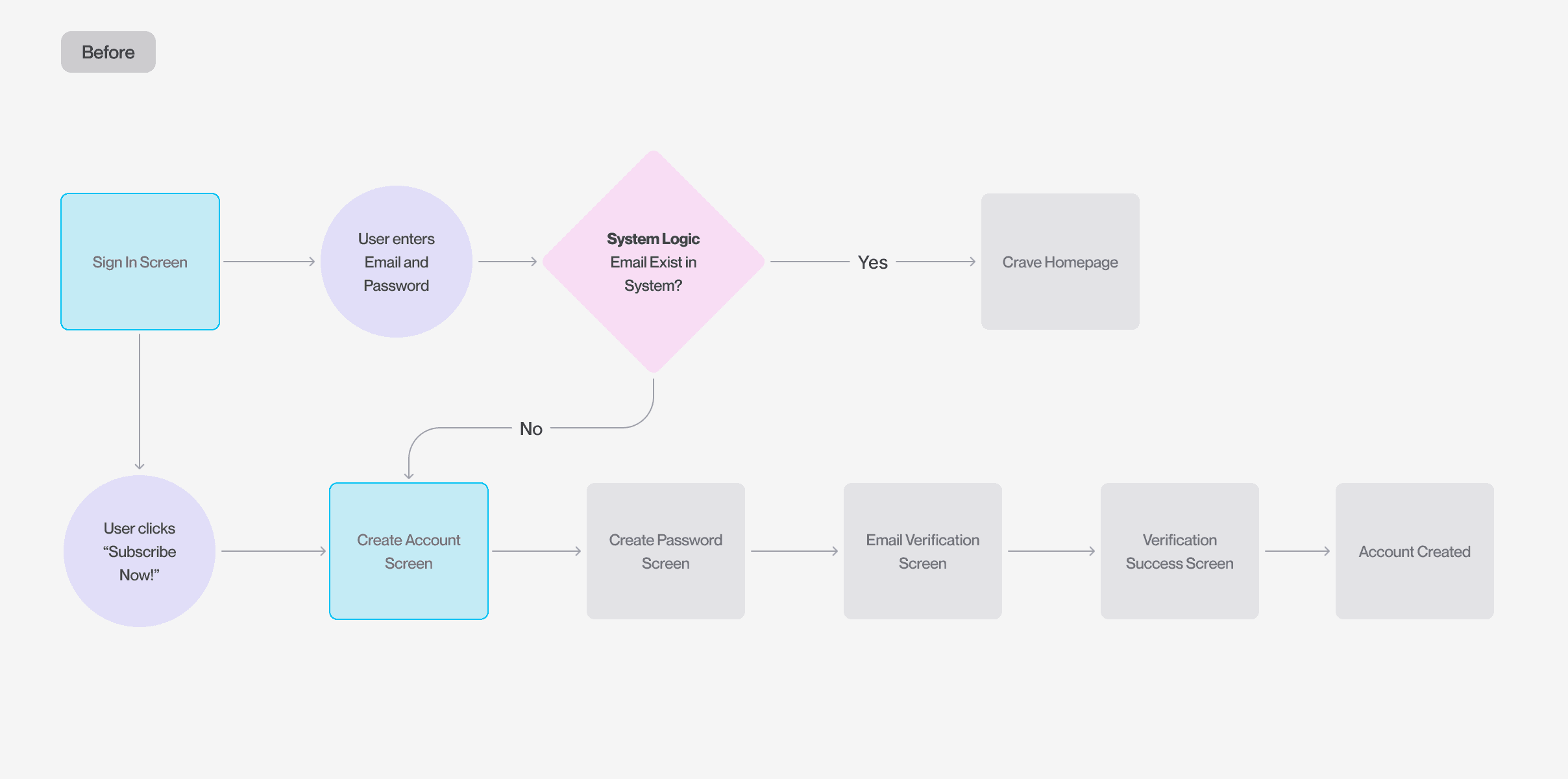
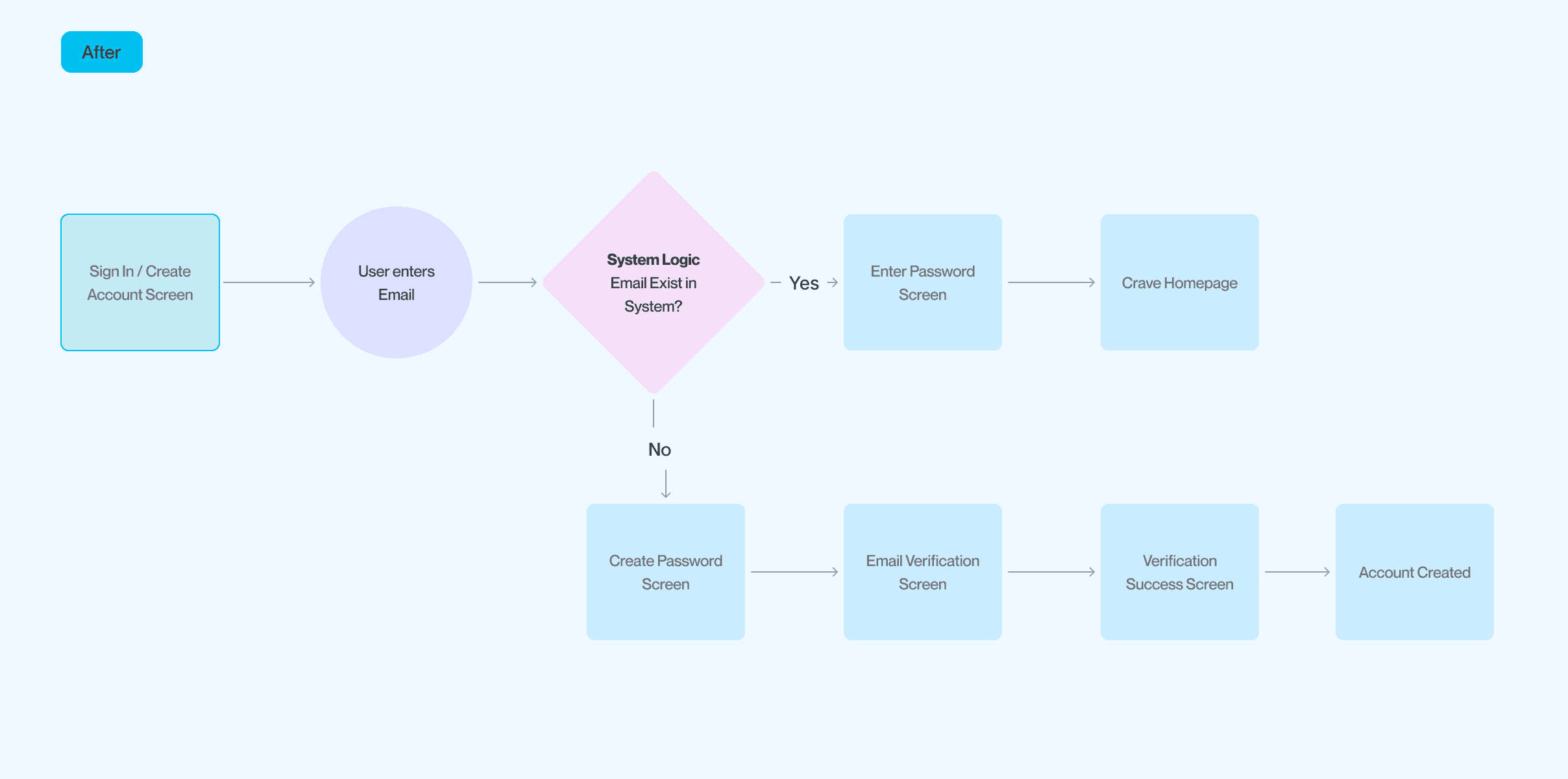
Smarter start, smoother flow

After reviewing how competitors handled authentication, I noticed a shared pattern: a single entry point that adapts based on user context. I mapped out Crave’s existing flows and surfaced a similar opportunity. By introducing one flexible entry screen powered by system logic, we removed unnecessary choices and made the experience feel seamless.

Smarter start, smoother flow

After reviewing how competitors handled authentication, I noticed a shared pattern: a single entry point that adapts based on user context. I mapped out Crave’s existing flows and surfaced a similar opportunity. By introducing one flexible entry screen powered by system logic, we removed unnecessary choices and made the experience feel seamless.

Information hierarcy

Establishing hierarchy through a systemized structure

With a clearer understanding of the entry points, I then created a modular component that adapts across flows while maintaining a consistent visual structure.
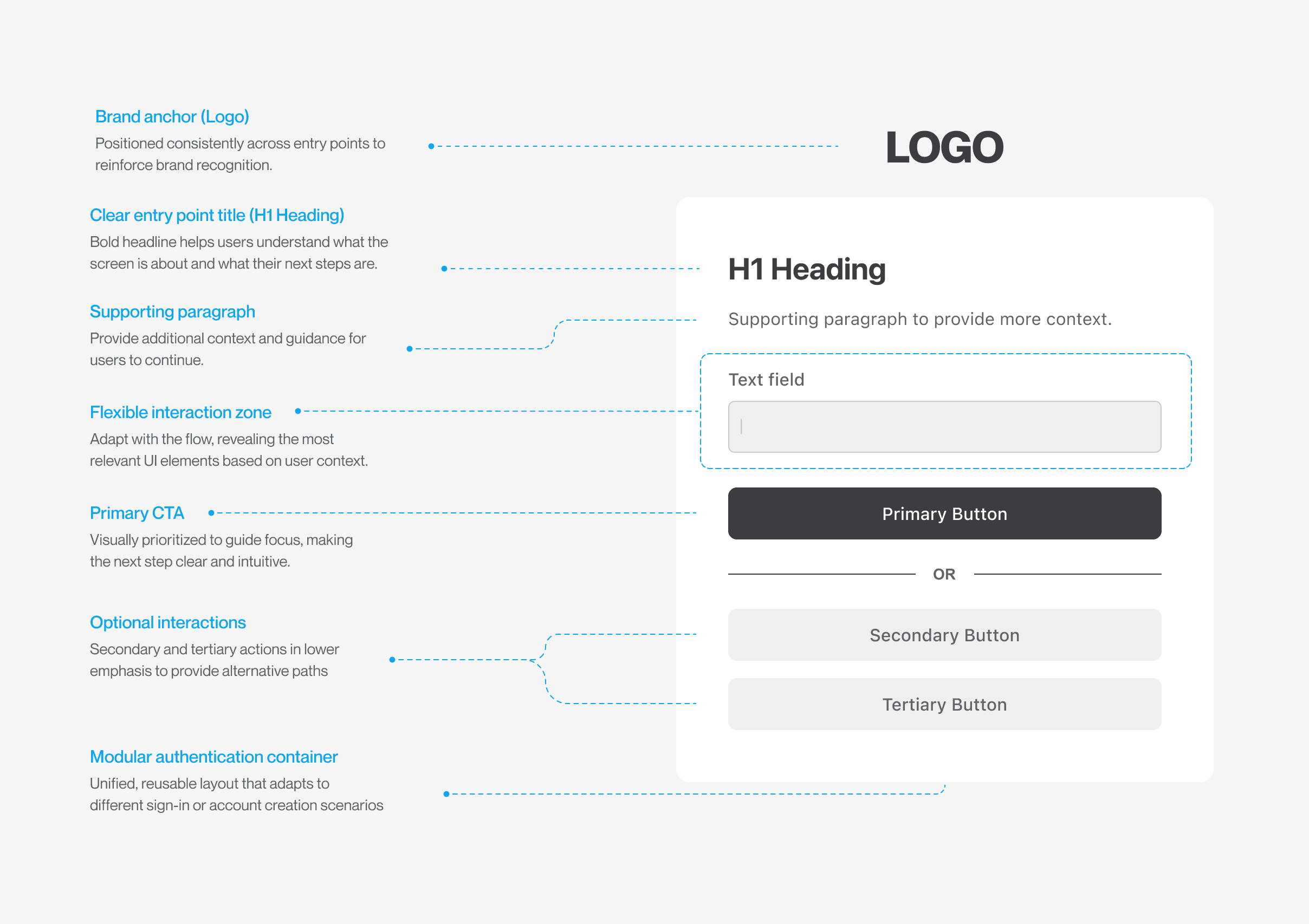
Consolidating the variants

Once the modular system was defined, I revisited every screen in the sign-in and account creation journey. By replacing fragmented layouts with a unified component, we reduced visual noise, eliminated redundant patterns, and delivered a more cohesive experience.

Consolidating the variants

Once the modular system was defined, I revisited every screen in the sign-in and account creation journey. By replacing fragmented layouts with a unified component, we reduced visual noise, eliminated redundant patterns, and delivered a more cohesive experience.

Design System

Bringing brand and system together

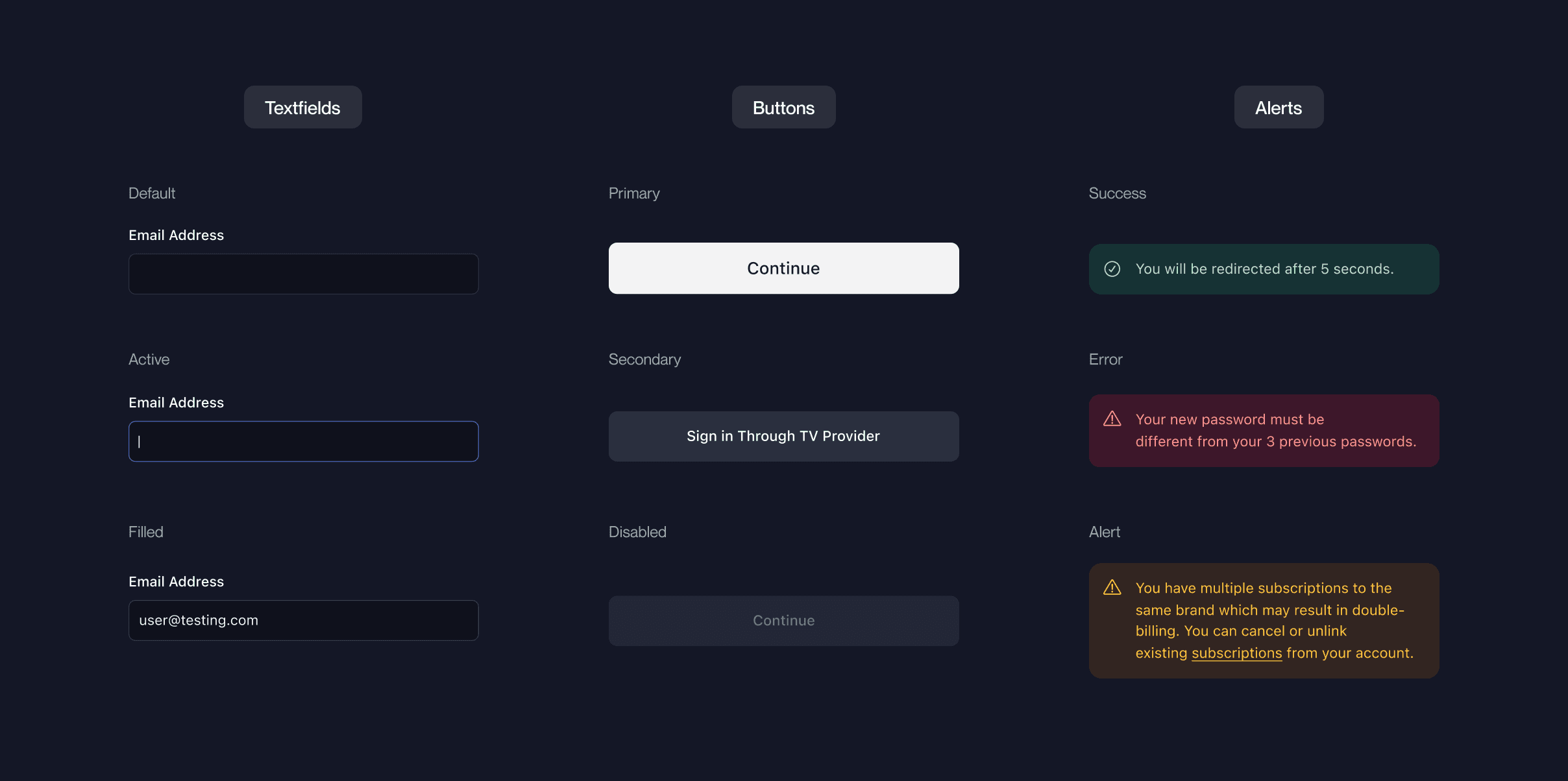
Once the information architecture was set, we turned our attention to visual consistency. To move fast without sacrificing structure, we adopted the Radix open library which gave us a solid foundation to build branded components while streamlining development handoff.
New sign in / create account for all Bell Media Brands
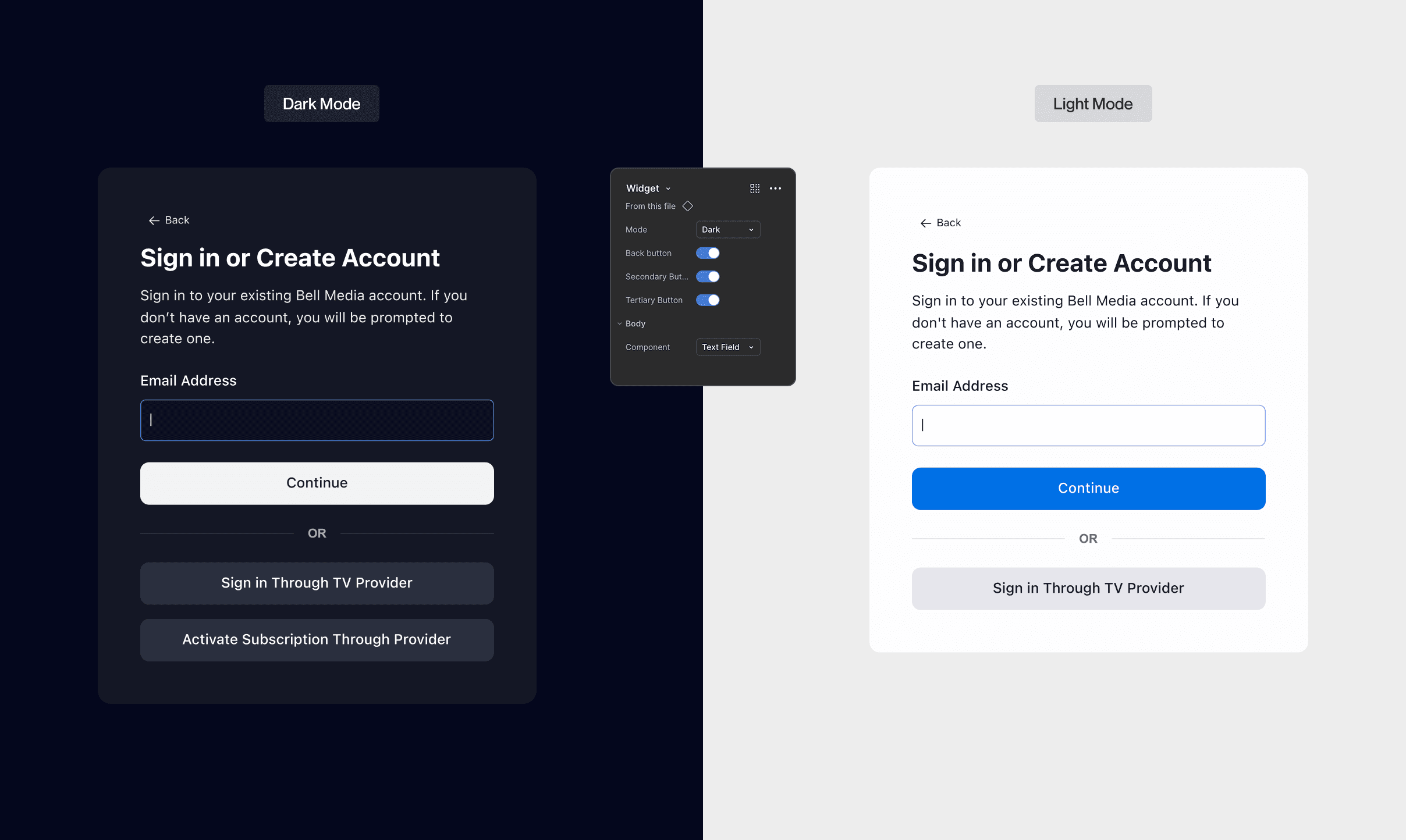
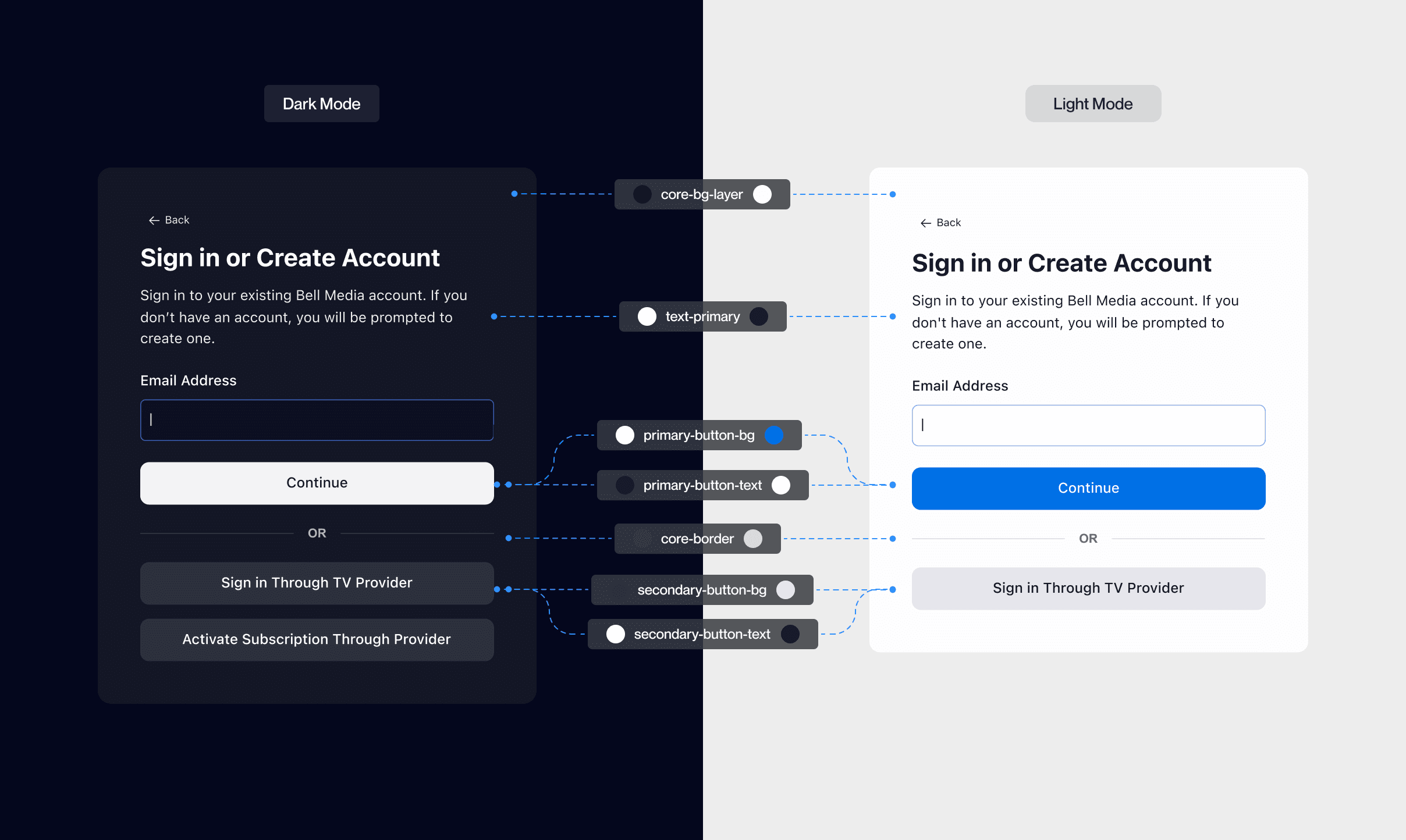
Light Mode / Dark Mode

By creating tokenized styles and light/dark variants, I built components that flexed across themes. This sped up implementation and ensured visual consistency across all brands.

Light Mode / Dark Mode

By creating tokenized styles and light/dark variants, I built components that flexed across themes. This sped up implementation and ensured visual consistency across all brands.

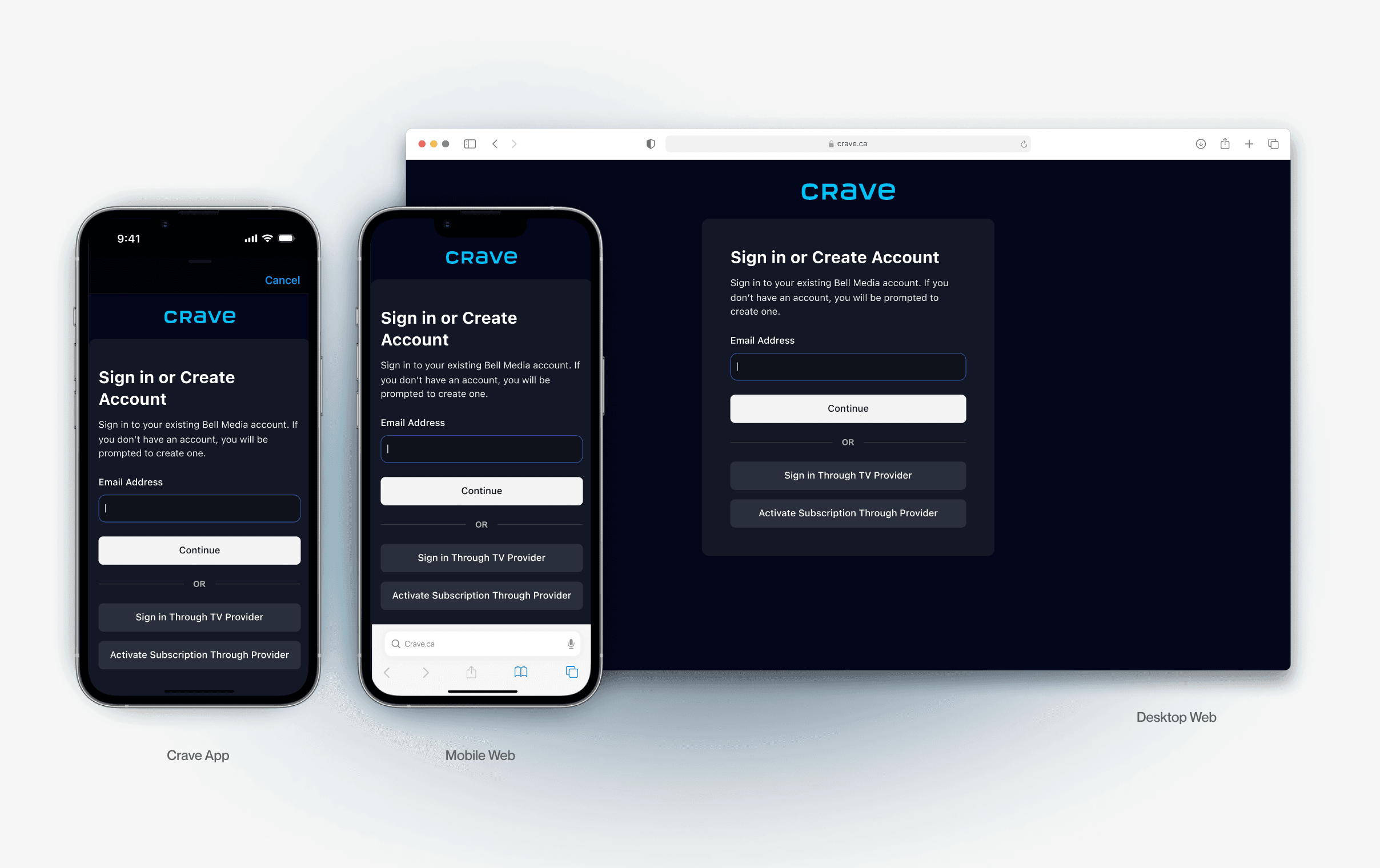
From web to mobile

Using consistent tokens and layout rules, we ensured system components adapted across all platforms, reinforcing visual cohesion and reducing handoff friction.

From web to mobile

Using consistent tokens and layout rules, we ensured system components adapted across all platforms, reinforcing visual cohesion and reducing handoff friction.

Refining the details with microinteractions

Once the structure was in place, we then focused on mircointeractions - refining when and how users receive feedback. These subtle updates reduced unnecessary interruptions and supported better accessibility.
Textfield microinteractions

Before

Users were met with error messages while typing. Early validation often caused unnecessary friction and cognitive overload.

After

Error feedback now appears only after the user leaves the textfield, creating a smoother, less disruptive experience.

Textfield microinteractions

Before

Users were met with error messages while typing. Early validation often caused unnecessary friction and cognitive overload.

After

Error feedback now appears only after the user leaves the textfield, creating a smoother, less disruptive experience.

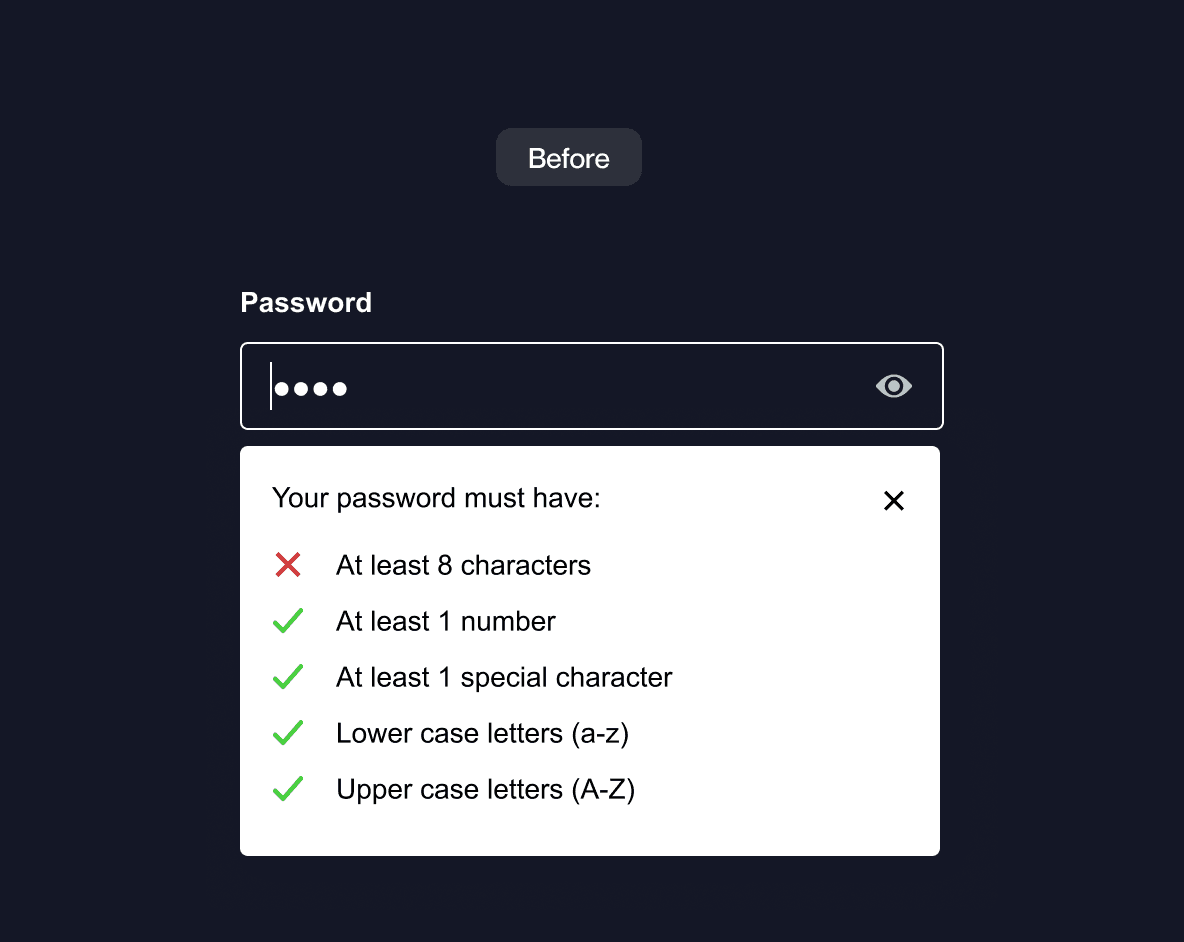
Password requirement microinteractions

Before

The in-market design surfaced all password rules at once, with high visual contrast that competed with the input field. This created noise and overwhelmed users before they even started typing.

After

The updated flow keeps the experience clean and focused. Password hints now appear only when needed, using softer contrast and subtle animation to support.

Password requirement microinteractions

Before

The in-market design surfaced all password rules at once, with high visual contrast that competed with the input field. This created noise and overwhelmed users before they even started typing.

After

The updated flow keeps the experience clean and focused. Password hints now appear only when needed, using softer contrast and subtle animation to support.

In Conclusion

This project marked the beginning of a much larger shift.

Being able to work with other designers on this extensive application helped expose me to a wide range of perspectives and ideas that I would've never considered. Being able to conduct user interviews and user testing helped us build a better understanding of how we can improve our user experience. Through this process, we were able to reiterate any details we missed and helped identify our core features.  

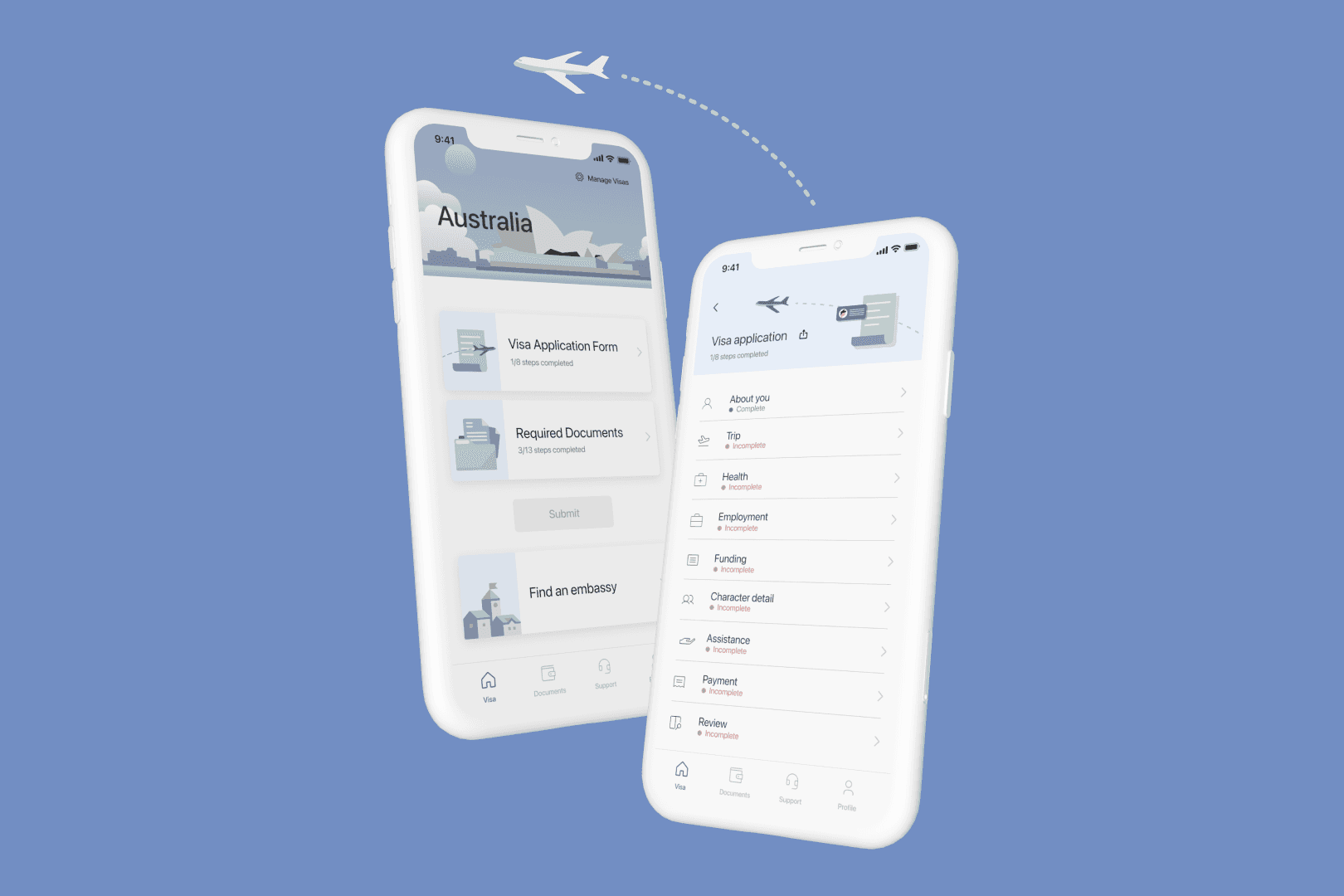
If we got another chance to do this again, we would want to work with a travel officer during the design process. Since all of us, designers do not have extensive knowledge of applying for a visa, having a professional opinion would help myVisa become closer to being a realizable application.
For the Future

Work with travel officers and have a more professional opinion during the design process. 

Conduct user testing after iteration of design to ensure the effectiveness of the updated UI

For the Future

Work with travel officers and have a more professional opinion during the design process. 

Conduct user testing after iteration of design to ensure the effectiveness of the updated UI